Nota: Devi essere un utente registrato per lasciare una risposta.
Gli smilies suggeriti dagli utenti:
T O P I C R E V I E W
domus
Posted - 19/09/2011 : 15:26:52 Procuratevi l'ultima versione del mugen http://elecbyte.com/ (attualmente vi è la 1.0 che è stabile mentre il win mugen a volte si chiude da sè per colpa di vari bug)ed uno screenpack, qui trovate quello di dj-van http://www.mediafire.com/?r5hdihrpdkjzmps oppure andate sul sito mugen-infranty.net PREMESSE. A)Estraete tutto il contenuto in una cartella;l'applicazione di per sè è 1 mega bytes circa, perciò non rallenta la velocità del pc . B)Se avete seven qualora vi chieda una configurazione automatica ,cliccate sempre su salta altrimenti cè rischio che non parte niente.
C)(Può darsi che appena avviate l'applicazione,l'antivirus lo consideri malware. - lo usano migliaia di persone e personalmente,ho messo, cacciato e rimesso il mugen anche sul portatite e sul pc fisso, non mi ha mai dato problemi,inoltre mi fa la stessa storia anche con l'emulatore epsxe 1.70- ) Vi apparirà una scritto tipo 'consenti' pertanto cliccateci sopra e partirà il gioco,a meno che l'antivirus non lo sposti automaticamente nella quarantena);
A tal proposito è opportuno(ma non necessario) mettere l'applicazione tra gli elementi consentiti (clicca sull'antivirus,vai su strumenti,aggiungi eccezioni e seleziona l'applicazione mugen.exe ,clicca su 'applica' poi su 'salva' ed esci). - Se è la prima volte che avviate il mugen,questi si chiude subito,vuol dire che la configurazione video che state usando non è compaatibile con quella "impostata nel mugen". In tal caso aprite il file system CON BLOCCO NOTE nella cartella data e nelle prime righe troverete la scritta:
localcoord = 1280,720 (ad es. io uso nel monitor 1280x1024 e nel mugen ho 1280,720;ovviamente fate delle prove,si possono usare 640x480 Standard definition 4:3 1280x720 High definition 16:9 1920x1080 Full HD 16:9). . Un consiglio i file di configurazione del Mugen (mugen file di configurazione di microsoft office, si aprono con BLOCCO NOTE,se avete problemi video anche quì tocca fare un ritocchino perciò apritelo e cambiate secondo le opzioni di sopra GameWidth = 640 GameHeight = 480
N.B.: I cambiamenti che farete possono bloccare il mugen perciò fate sempre una copia prima di modificare un file. PRESUPPOSTI BASE DEL MUGEN: 1)La cartellla data è la più importante perciò fate una copia e conservatela (vi tornerà molto utile perchè dovendo cambiare delle cose è facile sbagliare).
2)nella cartellla chars dovrete inserire tutti i nuovi personaggi (quando scaricate un nuovo personaggio ve lo ritrovate in una cartella zip,non lasceteli in formato zip ma estraete la cartella zippata e lasciatela col nome che ha). . P.S.:quando scaricate un nuovo personaggio prima di estrarre la cartella fate sempre una scansione del file zippato (cliccate col tasto destro sulla cartella e fate scansiona con..). . 3)Nella cartella "sound" dovrete inserire rispettivamente le canzoni o suoni (mp3,wma,ogg,MID) . 4)Nella cartella stages vanno gli stages scaricati;una volta estratto l'archivio zip in genere trovate solo due file e vanno inseriti così da soli nella cartalla stages( "avete presente lo sfondo di ryu in street fighter,ecco quello è uno stages a cui potete associare una canzone o una musichetta). - Perciò mentre per i personaggi dovrete avere una cartella da inserire nella cartella chars,i singoli 2 files dello stage vannno inseriti nella cartella stages senza ulteriori cartelle. .
-CONFIGURAZIONE PASSO PASSO: Inizialmente il mugen è configurato per poter inserire 6 personaggi,infatti appena lo avviate vi appariranno 6 spazi di cui 4 vuoti e due con uno stesso personaggio chiamato KFM. Per inserire un numero maggiore bisogna cambiare il numero delle celle e la loro grandezza, in tal caso cè una soluzione comoda che vi evita di perdere tante ore,cioè: . 1)scaricatevi uno SCREENPACK compatibile con il mugen che avete Ad es. per il mugen 1.0 io uso lo screenpack EVE-BATTLE di dj-van che funziona bene,ha più di 500 posti (che poi ho ulteriomente personalizzato). . 2)Copiate tutti i File dello screenpack ed inseriteli nella cartella data . 3)-SOSTITUITE TUTTI I FILE CHE VI CHIEDE DI SOSTITUIRE DURANTE LA COPIA. FATTO CIO' passo ora ad illustrarvi come configurare il personaggio gli stages ed i suoni nel vostro Mugen
Configurare un personaggio: -PARTE PRIMA- Aprite la cartella "DATA" del mugen e troverete un file di testo chiamato "SELECT" ed apritelo Troverete tanti punti con scritto solo "random select"
Ecco ci siamo,fate attenzione perchè al posto di "random select" dovrete inserire il nome del personaggio (copiatelo dalla rispettiva cartella che avete inserito dentro la cartella "chars"ossia caratteri,personaggi). . Capita di frequente che il personaggio inserito non venga visualizzato quando avviate il mugen e questo dipende dal nome che avete immesso nel file select;spesso il nome giusto è quello che vedete nel file di testo con estensione .def dentro la cartella del personaggio). .
P.S.: Se il nome è in maiuscolo lasciatelo in maiuscolo e viceversa altrimenti non vi legge il personaggio; inlotre può a volte capitare di dover rinominare la cartella del vostro char con lo stesso nome che trovate nel file.def ( a me è successo con gogeta che non mi partiva e ho risolto così GOGETASSJ). . Configurare uno "stages" -PARTE SECONDA- Dopo aver inserito il nome del personaggio,(al posto di "random select" nel file select della cartella data) Srivete affianco al nome; ,stages/ e poi il nome dello stages che volete associare alla comparsa del personaggio.
ad es. fate così:
,stages/finaldest2.def (in tal caso finaldest2 è il nome dello stages . def va sempre aggiunto)
Perciò per avere un esempio completo con un nome di un personaggio e dello stages a cui associare:
SailorJupiter,stages/Chaotic_dreams.def (SailorJupiter poi la virgola poi scrivete stages+nome+punto+def)
.(anche la virgola,altrimenti va in bug ,si blocca e l'applicazione si chiude). N.B: Se volete potete mettere anche solo i personaggi in tal caso basterà mettere solo il nome SailorJupiter senza virgole punti o altro (se avete il win mugen al nome dovete aggiungere un punto e poi def)
Inserire le musiche -PARTE TERZA-
Aprite la cartella sound,scegliete e copiate il titolo di una delle canzoni o sigle che avete precedentemente inserito (i nomi devono essere identici anche ne formato perciò PRECISIONE) . (ad es per spiderma ho inserito la canzone spiderman di Bublè mentre per goku what'my destiny, o per gogeta il MID final bout,insomma divertitevi).
Aprite il file .def dello stage a cui volete associare la canzone (tenete conto che lo stage è ora associato ad un personaggio specifico) . Verso metà pagina trovate la scritta [Music] ;Put a filename
Bene,ora alla voce:
bgmusic = sound/ aggiungete il nome della canzone e la sua estensione Ad es. bgmusic = sound/spiderman.mp3
mentre alla voce volume mettete 250 ossia
bgvolume = 250
PER AVERE LO SCHERMO INTERO BASTA PREMERE : ALT+INVIO SINTESI + AGGIUNTE sul file Select Ad ogni random select corrisponde uno spazio,siate precisi e fate una copia del file 'select' prima di ogni modifica
-se volete potrete scrivere solo il personaggio (a volte dovrete cercarlo sul file .def che si trova dentro la cartella del personaggio)-
E)Per le musiche dovete andare: 1)nella cartella stage, 2)aprire il file .def, 3)scrivere sotto la parola Music il nome della canzone inserita, seguita dall'estensione es. dragonball.mp3 oppure .ogg oppure .MID seguite come esempio gli altri stage già configurati. F)Per selezionare il numero degli incontri andate sul file select e verso la fine trovate una parola col numero relativo agli incontri,modificatelo ad es. 30 (cioè 30 incontri prima di quelli finali. G) =ORDER 9 =ORDER 7 indicano l'ordine in cui i personaggi finali (a cui aggiungerete questi numeri) appariranno-dopo il numero d'incontri stabilito -cioè sono incontri in più. Potete mettere l'ORDER da 1 a 9(mi sembra anche zero); considerate che tutti i personaggi col numero 9 appariranno prima di quelli che hanno numeri inferiori,cioè seguendo un ordine decrescente. H) se dopo random select sotto trovate scritto: -/ Questo indica uno spazio,potete cambiare il numero di spazi (mettendo -/ al posto di random select) e di random select ma alla fine il totale (cioè numero di spazi + scelta personaggio) deve essere quello delle impostazioni di base (dunque se togliete un rendo potete aggiungere un solo spazio in più e viceversa) per non avere troppe noie o rischiare che non vi parta più nulla.
FINE CONFIGUrAZIONE BASE,COMPLIMENTI!!!!
ECCO ora dei trucchi per cambiare: - l'AUDIO di apertura- . Nella cartella DATA VI SONO DELLE CANZONI In formato mp3 oppure ogg che sono state rinominate SELECT SESSION e VERSUS (occhio però a non confonderli con i file di configurazione snd o blocco note o .sff). . Queste canzoni sono quelle che avete rispettivamente all'apertura,oppure alla scelta del personaggio o all'anteprima dello scontro. . Cambiarli e semplicissimo, basta prendere canzoni dello stesso formato delle originarie ad es in mp3 e chiamarle appunto SELECT SESSION e VERSUS ; . ora sostituite queste ultime al posto delle originarie ed il gioco è fatto. . Se volete meglio bilanciare l'audio per le voci,gli effetti e la musica potete farlo anche dal file di configurazione di sistema che si apre con blocco note (nella cartella data del mugen) e verso metà pagina troverete queste voci da impostare a piacimento:
MasterVolume = 100
;This is the volume for sound effects and voices, in percent (0-100). WavVolume = 70
;This is the master volume for music, (0-100). BGMVolume = 80
Se il gioco s'incanta e non riuscite ad uscire con ESC,
premete il tasto 'START' della tastiera e poi pigiate
'ALT+F4' per chiudere l'applicazione.
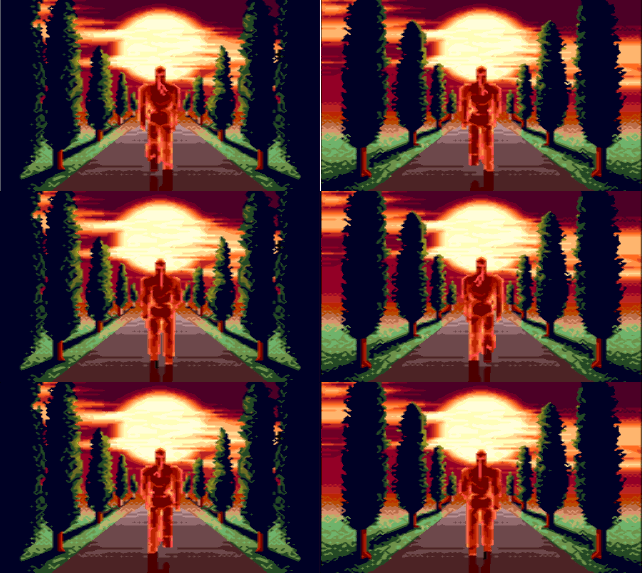
-Come inserire una INTRODUZIONE: Scaricatevi una Intro per il mugen 1.0 e copiate i file nella cartella data dove avete anche i file system e select L'intro ha un file def uno mp3 ed uno sff
Aprite il file system con formato def , quasi ad inizio pagina troverete queste scritte:
[Files] spr = system.sff ;Filename of sprite data snd = system.snd ;Filename of sound data logo.storyboard = ;Logo storyboard definition (optional) intro.storyboard = intro-robot.def ;Intro storyboard definition (optional)
Alla voce intro.storybord = lasciate uno spazio e scrivete il nome della vostra intro (lo trovate dentro il file de delll'intro) in questo caso l'intro che ho inserito si chiama "intro-robot.def" .
.
Potete fare la stessa cosa se volete inserire un logo Se l'intro ha dei file font li dovrete inserire nella cartella font e poi configurare nel file system sempre alla voce [Files] .
.
Ecco un esempio di come ho configurato una intro (con mazinga goldrake ecc),un logo bandai (nel mio caso si chiama semplicemente logo) ed i font nel file def chiamato system:
IL PRINCIPIO E SIMILE A QUELLO DEL TROVARE O INSERIRE IL PERCORSO DI UNA CARTELLA O DI UN COLLEGAMENTO SU DESKTOP AD ES. LA MIA CARTELLA mUGEN SI TROVA SU C:\Documents and Settings\admin\Desktop
PERCIò LA VOCE AD ES.
font5 = font/EVE/DJ-VAN_-_KOF.fnt
INDICA AL PROGRAMMA CHE IL FILE EVE/DJ-VAN_-_KOF .fnt SI TROVA NELLA CARTELLA font SEGUITE GLI ESEMPI E IMPARERETE IN FRETTA A CONFIGURARE CORRETTAMENTE I PERCORSI DI FILES E/O CARTELLE (es data/font/EVE/DJ-VAN_-_KOF.fnt in tal caso il nome della cartella di origine va messo prima).
N.B.:SE USATE LO SCREENPACK EVE-BATTLE DI DJ-VAN TROVERETE AL SUO INTERNO UNA CARTELLA CHIAMATA "MUGEN 1" che contiene altri file system e select; questa cartella va copiata nella cartella data del MUGEN e sarà di fatto la vostra cartella data;cioè le modifiche che volete apportare le dovrete fare sui files System o Select di Mugen 1 (perciò anche l'inserimento di nuovi personaggi) altrimenti non avrete cambiamenti. Inoltre i file system e quelli select della cartella data ,vannno lasciati e non cancellati.
P.s. anche i loghi li dovrete cercare e scaricare a parte anche perchè violano il copiright se copiati da giochi famosi.
Se volete creare voi delle intro,degli stages o dei personaggi nuovi di zecca dovrete scaricare e usare il programma gratuito fighter factory ultimate 2.6 della Virtualtek .
Posted - 03/02/2013 : 16:44:09 Domus, mi unisco al coro dei complimenti, bravissimo.
domus
Posted - 01/02/2013 : 11:06:58 Grazie...in quanto a conoscenza dell'argomento,qui sono tutti laureati a pieni voti e neanche tu scherzi... * sev7en,ci sono ancora alcune cose da aggiungere "non ufficiali" ed utili,ad es. a suo tempo avevo trovato il modo di rendere compatibili su mugen stabile molte chars uscite per win mugen e che pertanto non girano sul mugen 1.0; con calma e con un pò di tempo riprenderò il vecchio materiale sul mugen (circa 4-5 giga con solo il meglio,tra chars,utility,stages,intro,ending,screenpack vari- musiche a parte) e lo aggiornerò con le nuove uscite.
vitali80
Posted - 01/02/2013 : 06:30:39 Grazie Domus. Tu e Nathan siete degli esperti in questo campo, per questo prendo voi come punti di riferimento per i picchiaduro o per i programmi di creazione di picchiaduro, nemmeno sapevo dell'esistenza di Paintown.
Posted - 01/02/2013 : 03:22:14 Non proprio, esiste il paintown,basato sul mugen engine. http://paintown.sourceforge.net/index.php?page=downloadPaintown è un programma per creare picchiaduro a scorrimento laterale (in stile openbor ma tutto più semplificato)usando proprio le chars del mugen. Lo avevo provato qualche anno fa in versine beta ed aveva molti bug,oggi ho testato l'ultima versione disponibile la 3.6 e va bene,inoltre nella nuova versione base hanno aggiunto anche nuovi chars tra cui il mitico Michael
Domus
vitali80
Posted - 31/01/2013 : 10:02:04 Una domanda: il MUGEN crea solo picchiaduro a incontri o anche a scorrimento?
Posted - 19/10/2011 : 08:25:08 Di seguito vi posto il mio file select basato su screenpack Dj EVE-BATTLE già ottimizzato,tutti i nomi sono corretti e vi è un elenco delle migliori chars e stage.
;--------------------------------------------------------------------- [Characters] ;How to add characters ;--------------------- ;Use the format: ; charname, stagefilename ; ;eg. For a player with filename "kfm", ; and stage filename "stages/mybg.def" ;type (without the semicolon): ; kfm, stages/mybg.def ; ;If you want to load a different def file, you can enter it ;as a directory plus the def file. This example loads up ;chars/kfm/alt-kfm.def: ; kfm/alt-kfm.def, stages/mybg.def ; ;If you put "random" as the stagefilename, then a random stage will ;be selected for that player. eg. ; kfm, random ; ;Zipped characters are also supported. ;Place the ZIP file in the chars/ directory. The syntax is as ;follows: ; zipname.zip:defname.def, stages/mybg.def ;For example, if you have newsuave.def in suave.zip, the syntax is: ; suave.zip:newsuave.def, stages/mybg.def ;If your def file has the same name as the zip file (eg. suave.def ;in suave.zip), you can just put the name of the zip file alone: ; suave.zip, stages/mybg.def ; ;Optional parameters may follow on the same line, separated ;by commas. Each parameter has the form: ; paramname = paramvalue ;where paramname is the name of the parameter type, and ;paramvalue is the value to assign that parameter. ;The optional parameters are: ; ; - music ; Set the paramvalue to the name of the music file to use ; as the BGM for that character. This overrides the bgmusic ; parameter in the stage's .def file, so you can re-use the ; same stage for multiple characters, but have a different ; BGM playing for each person. ; ; - includestage ; Set the paramvalue to 0 to avoid including this stage ; in the stage select list (in VS, training modes, etc) ; ; - order ; Set the paramvalue to the ordering priority to give the ; character. Valid values are from 1 to 10. A smaller value ; means you will fight the character sooner. You will never ; fight an order 2 character before an order 1 character, ; and never an order 3 character before an order 2 one. ; For example, you might want to set your boss character ; to have order=3. The default order value is 1 if you omit ; this param. See *.maxmatches under [Options] for how to ; limit the number of matches per order priority. ; ; Some examples: ; kfm, stages/mybg.def, includestage=0 ; kfm, stages/mybg.def, music=sound/song.mp3 ; kfm, stages/mybg.def, music=sound/song.mp3, includestage=0 ; kfm, stages/mybg.def, order=3 ; ;You can also add a randomize icon to the select screen. To do ;this, put the word "randomselect" on a line of its own, with no ;extra parameters. ; ;Insert your characters below. -/ -/ -/ -/ -/ -/ -/ Dhalsim,stages\Dhalsim.def,ORDER=1,INCLUDESTAGE=0 Zangief,stages\zangief.def,ORDER=1,INCLUDESTAGE=0 Sagat,stages\buddha.def,ORDER=3,INCLUDESTAGE=0 Vega,stages\Vega.def,ORDER=3,INCLUDESTAGE=0 shinvega,stages\bisonbg1.def,ORDER=5,INCLUDESTAGE=0 cvs2_honda,stages\stages\and-destrucion.def,ORDER=8 BALROG,stages\baxter.def,ORDER=9 Blanka,stages\Brazil.def,ORDER=1,INCLUDESTAGE=0 Evil-Ryu\evilryu.def,stages\EvilRyubg.def,ORDER=6,INCLUDESTAGE=0 cvsryu,stages\Ryubg.def Ken,stages\Vega.def,ORDER=2,INCLUDESTAGE=0 cvsken,stages/dbz_baserr.def,ORDER=9 haggar,stages\KenMaster.def,ORDER=7 Guile,stages\guilebg.def,ORDER=3,INCLUDESTAGE=0 AlphaC,stages/Chunli.def,ORDER=9 MvC2Zangief,stages\zangief.def,ORDER=2,INCLUDESTAGE=0 feilong,stages/throne.def,ORDER=4 cvsgouki,stages/manhattan_night.def,ORDER=9 DeathOgre,stages/kyashabg,ORDER=2 gouken,stages\baxter.def,ORDER=1 amc_sol,stages/ArthurStage.def andy_rb,stages/pim_clara_stage.def 2003billy,stages/blackheart_stage.def AXL_GGXX,stages/sagittarius.def cvsgeese,stages\EvilRyubg.def baiken_SLASH,stages/Alberich.def cvsken,stages\baxter.def,ORDER=9 cvsfelicia,stages/buddha.def K-Dudley,stages/deejay.def cvsmai,stages/Chunli.def SHINAKUMA,stages/misty.def NRyo,stages/InfinityMoon.def,ORDER=9 cvsjill,stages/mutant hunting.def cvshibiki,stages/dbz_satan.def cvs3_rugal,stages/dbz_basin.def shigen,stages/skyhd3.def R253,stages/Kamehause_Night.def -/ -/ -/ -/ -/ -/ -/ -/ -/ -/ -/ -/ -/ -/ -/ -/ -/ -/ sf3alex mbison chipp,stages/ArthurStage.def joe,stages\brazil.def setsuna,stages\web.def grant,stages\babelbg.def roboky_xx,stages/clouds.def testa,stages/blue.def demitri,stages/blood.def SF4Seth,stages/bell.def gill_mx,stages/bog.def Leo_CFAS,stages/treehouse.def drgero,stages/cathedral.def Babidi,stages/bluemvc.def babyvegeta,stages/Collise.def S_AND_17,stages/gold.def ubuu,stages/night forest.def Ftrunks-b,stages/towe.def Super_Buu,stages/tow.def Kaioshin,stages/ciel.def tapion,stages/CambodiaXI.def coola,stages/yusuke_24_hires.def satan-son,stages/DRAGONBALL.def GOGETASSJ,stages/Planet_Gods.def,ORDER=9 Sup_Vegito,stages/kazmer6.def,ORDER=8 Xicor,stages/dbz_tree_of_might.def -/ -/ -/ -/ -/ -/ -/ -/ -/ -/ -/ -/ -/ -/ -/ -/ -/ -/ -/ -/ -/ fatbuu,stages/Babidi_Teleportation.def buu,stages/dbz_babadi_ship.def Frezaa,stages/yusuke_24_hires.def ICell,stages/dbz_d_city.def Bardock,stages/dbz_tree_of_might.def Paikuhan,stages/dbz_piccolo_lair.def Broli-eX,stages/Baba_Arena.def Fusion,stages/DRAGONBALL.def Prince Vegeta,stages/Kamehause_Night.def SSJ2-MAJIN-VEGETA,stage/Janemba_Stage.def kakarotto iadora,stages/dbz_arena_tourni.def GokuHR,stages/dbz_kame_house.def goku@,stages/dbz_time_chamber.def ssj2-goku, stages/dbz_armageddon.def, order=2 Piccolo,stages/dbz_piccolo_lair.def Piccolo Daimao,stages/dbz_piccolo_lair.def Mistico gohan,stages/SBE-Lookout-Sunset.def Taopaipai,stages/Tao-Pai-Pai'Stage.def LiShenlong2,stages/babelbg.def Gotenks-SSJ,stages/dbz_time_chamber.def Gohan2Mov9,stages/DRAGONBALL.def,ORDER=8 Great Saiyaman, stages/dbz_arena_tourni.def Gohanm,stages/Planet_Gods.def -/ -/ -/ -/ -/ -/ -/ -/ -/ -/ -/ -/ -/ -/ -/ -/ -/ -/ -/ ginew,stages/dbz_tufflep.def janemba, stages/Janemba_Stage.def dabura, stages/Babidi_Teleportation.def 18,stages/dbz_a_beauty.def android16,stages/venice.def Crilin,stages/venice.def Trunkz,stages/dbz_d_city.def aquaman,stages/corridor2.def borracha,stages/Moon.def Hulk_mvc,stages/hulk_stage.def ironman,stages/ironman_stage.def IronPatriot,stages/mazinga.def CVG_Flash,stages/SB3earth-storm.def DevilJ,stages/dbz_baserr.def sandman,stages/MuseumMarvel.def venom, stages/dbz_destruction.def carnage,stages/dbz_destruction.def spiderman,stages/spiderman_stage.def,ORDER=8 GreenGoblin_MvC,stages/manhattan_night.def,ORDER=8 dante,stages/BrooklynBridge.def venom,stages/cliff.def blackheart,stages/CapcomCity.def Hobgoblin_2009,stages/BrooklynBridge.def,ORDER=8 pot,stages/Express.def MVCSuperskrull,stages/Namek.def -/ -/ -/ -/ -/ -/ -/ -/ -/ -/ -/ -/ -/ joker,stages/BrooklynBridge.def Batman,stages/manhattan_night.def Catwoman,stages/deejay.def capcom,stages\Moon.def,ORDER=8 capamerica,stages/Park.def CaptainMarvel_MvC,stages/avengersmvc.def GhostRiderBeta0.6,stages/pandemonium.def mole,stages/manhattan_night.def HumanTorch,stages/aldebaran.def iceman,stages/Virgo.def SilverSurfer_MvC,stages/Moon.def MVC2_Magneto,stages/magneto_stage.def thanos,stages/thanos_stage.def drdoom,stages/drdoombg.def MVC2_Omega_Red,stages/Namek.def Astro,stages/Toho-Moonside.def thor,stages\thanos_stage.def,ORDER=8 psy,stages/goroslair.def Gambit,stages/shield_helicarrier.def Juggernaut,stages/MuseumMarvel.def Colossus_MVC2,stages/blackheart_stage.def MVC2_Spiral,stages/Aquarius.def MVC2_Storm,stages/MGravey.def Beast_MvC,stages/nycmvc.def Cyclops,stages\mazinga.def guido,stages/Alberich.def Crystal,stages/asgard_bifrost.def Wx2,stages/spiderman_stage.def Wolverine,stages/avengersmvc.def phoenix,stages/avalon.def sabre,stages/web.def -/ MVC2_Sentinel,stages/Arcana-finalstage.def SymbioteOnslaught,stages/Toho-MareFrigoris.def Warmachine,stages/bluemvc.def apocalypse,stages/Libra.def DCvsMarvelSteel, stages/soul_planet.def Superman,stages/Arcana-finalstage.def luthor,stages/avalon.def Cyborg Superman,stages/avalon.def,ORDER=9 supergirl,stages/The_Rocks.def isaiah, stages/Dragonball_-_Forest.def thequestion,stages/MKR_The-OutWorld.def armaggon,stages/tekkaman.def dohkoa,stages/virgo.def SHIRYU,stages\Libra.def abel,stages\albior.def Seiya sans casque,stages/seiya2.def kliff,stages/arles.def Andromeda la Notte,stages/pandora.def seiya,stages\aldebaran.def Afrodita Espectro,stages\taureau.def Athena,stages/dozecasas.def Kanon Des Gemeaux,stages/gemini.def Argol,stages/seiya2.def shiryub,stages/Tethys.def camus,stages/Capricorne.def aioria,stages/Arieshousenight.def Hercules,stages/Baba_Arena.def inuyasha,stages/ArthurStage.def DukeNukemv2,stages/sfojagger.def,ORDER=8 naruto-kun,stages/falls.def,ORDER=8 sasuke-kun,stages/ArthurStage.def,ORDER=9 CLIFF-F-Gaara-Scarf,stages/Yamcha_Stage.def evil homer,stages/dbz_cell_games.def,ORDER=9 m_burns,stages/dbz_armageddon.def,ORDER=8 bartman,stages/shouse.def krusty,stages\puerto.def wario2,stages/pim_clara_stage.def doraemon,stages/Tao-Pai-Pai'Stage.def mascara,stages/ship.def Peter-Griffin,stages/spiked.def leela0,stages/after pit.def tallgeese,stages/avalon.def WHP-NeoGeegus,stages/pit1.def -/ silversam,stages/nycmvc.def Cyberbots_Warlock,stages/SBE-Lookout-Sunset.def Re_Blade,stages/Toho-MareFrigoris.def Gigi,stages/Arcana-finalstage.def Cyberbots_Super-8,stages/Arcana-finalstage.def MukuroFM,stages/misty.def Lavia,stages/MuseumMarvel.def Nool,stages/sfofalco.def shumag,stages/Tethys.def TabasaFM, stages/dbz_tree_of_might.def ice,stages/silversamurai_stage.def Jedah,stages/cargo.def A.B.A,stages/cancer.def bbh,stages/hulk_stage.def blackranger,stages/soul_planet.def amakusa,stages/InfinityMoon.def nobunaga,stages/thanos_stage.def 0000_Starfire, stages/Namek-Destruido.def Dcat_Leo,stages/town.def jagi,stages/sfojagger.def T,stages/sfotjukey.def chang,stages/gammabase-mvsc3.def KENSHIROU,stages/sfoken.def,ORDER=8 RAOH,stages/sforaul.def,ORDER=9 S,stages/sfoshin.def soria,stages/sfosorya.def falco,stages/sfofalco.def C,stages/sfofalco.def X,stages/sfosorya.def Z,stages/sforaul.def beryl,stages/tower.def rubeus,stages/armory.def emerald uranus jupiter saturn mars chibi mercury moon neptune pluto venus -/ 00mukai,stages/MK4_shaolin.def ananzi,stages/MK4_Tomb.def jinmen,stages\cancer.def Kishima_AA,stages/MK4_prison2.def 00nbc_shin_shishioh,stages/MK4_well.def final,stages/MK4_snake.def Utsuho_K,stages/MK4_well.def wolf,MK4_wind.def sdio,stages\ariestemple.def Sanzou,stages/quanchipit.def heartheatharn,stages/MK-M_Labyrinth.def Leon,stages\cancer.def Kohaku_K,stages/MKDA_shang_palace.def fau,stages/MKDA_wushi_academy.def Sabrewulf_KI2,stages/MKR_The-OutWorld.def great mazinger,stages\mazinga.def gen nero,stages/Lin_Kuei_Temple.def grendizer mazinger Z,stages\mazinga2.def D_Daigo,stages/MK1_The-Pit-1.def Dai_Atlas Megatron,stages/UMK3_Blue_Portal.def Optimus_Prime Overlord,stages/Sky_Temple.def justice,stages/MK2_The-Tower.def tekkaman,stages/tekkaman.def ultraman2,stages/Yamcha_Stage.def sasami,stages\mazinga.def sandrock,stages\capella.def shinobi,stages/silversamurai_stage.def EyedolMO,stages/MK1_The-Courtyard2.def 0SENTI,stages/dbz_kame_house.def glacius,stages/MK1_Palace-Gates.def I-NO,stages/MK1_Warriors_Shrine.def Agito,stages/mk2_Wasteland.def Kung_lao,stages/throne.def kintaro,stages/MK2_Kahn-Arena.def shaokahn,stages\throneroom.def goro,stages/MK1_goro-lair.def jax,stages/MK2_DeadPool.def baraka,stages/MK2_Kombat-Tomb.def nightwolf,stages/MK2_Pit2.def hydro,stages/MK2_Kahn-Arena.def -/ human_smoke,stages/MK3_Soul_Chamber.def smoke,stages/MK2_Armory.def mileena,stages/MK2_Living_Forest.def shangtsungMK2,stages/Alberich.def kano,stages/MK4_wind.def sindel,stages/mk4icepit.def shang_tsung,stages/MKDA_shang_palace.def motaro,stages/MK3_Balcony.def sheeva,stages/pit3.def sonya,stages/MK1_bottom.def csubzero,stages/MK3_Subway.def raiden,stages\graveyard.def sektor,stages/MK3_The_Bank.def cyrax,stages/MK3_The_Roof.def kitana,stages/MK3_Bridge.def Liu_kang,stages/MK3_BellTower.def kabal,stages/MK3_Temple.def ermac,stages/MK3_Bridge2.def subzero,stages/MK3_Noobs_Dorfen.def rain,stages/MK3_Portal.def reptile,stages/UMK3_WaterFront.def scorpion,stages/UMK3_Scorpions_Lair.def stryker,stages/UMK3_Cavern.def choi,stages/UMK3_jade_desert.def Michael_Jackson kazuya Marco_nbc Trevor shera ccikusanagi,stages/gammabase-mvsc3.def cable,stages\zangief.def robocop slugwanzer ed209 Snake regina Chris xjill Cyberbots P-10033 Gaits Cyberbots Zero Akuma Mysty_MonkStyle ayanami super_shinji_san -/ Cloud_S Tifa_L aeris cvsyoko Edward izumikonata haruhi kyon koizumi mikuru keiiti rena.r AL miku_light SenseiKen STORMEX evilken dracula Ryu EvilDan Shinlvl2Akuma mechgouki Tiberius Myon ikamusume Mario SuperMario SuperLuigi homer peter chicken AmazingSpiderman Cecilia Duna Lemius nagato weregaruru Sonicth Ash bisha ClawBear giro kazuya -/ NxC_hei zero Ella Blaziken Lucario Master Chief MegamanXA Lucy Diclonius kagome manami Reiuzi_Utsuho Marisa_K Meiling_K Mokou_K Remilia_K Sakuya_K Tenshi_K J.Talbain_EOH Youmu_K Aya_K Serena Ryuza Rubette moriya venom2 RareAkuma Biohazard MVC2_WarMachine MVC2_IronMan HI scrooge darkwing stimpy Galactus_MvC Haggar_MvC BabyCommando wonder_woman yuka superpapermario randomselect randomselect randomselect randomselect -/ randomselect randomselect randomselect randomselect randomselect randomselect randomselect randomselect randomselect randomselect randomselect randomselect randomselect randomselect randomselect randomselect randomselect randomselect randomselect randomselect randomselect randomselect randomselect randomselect randomselect randomselect randomselect randomselect randomselect randomselect randomselect randomselect randomselect randomselect randomselect randomselect randomselect randomselect randomselect randomselect randomselect randomselect randomselect -/ randomselect randomselect randomselect randomselect randomselect randomselect randomselect randomselect randomselect randomselect randomselect randomselect randomselect randomselect randomselect randomselect randomselect randomselect randomselect randomselect randomselect randomselect randomselect randomselect randomselect randomselect randomselect randomselect randomselect randomselect randomselect randomselect randomselect randomselect randomselect randomselect randomselect randomselect randomselect randomselect randomselect randomselect randomselect -/ randomselect randomselect randomselect randomselect randomselect randomselect randomselect randomselect randomselect randomselect randomselect randomselect randomselect randomselect randomselect randomselect randomselect randomselect randomselect randomselect randomselect randomselect randomselect randomselect randomselect randomselect randomselect randomselect randomselect randomselect randomselect randomselect randomselect randomselect randomselect randomselect randomselect randomselect randomselect randomselect randomselect randomselect randomselect -/ randomselect randomselect randomselect randomselect randomselect randomselect randomselect randomselect randomselect randomselect randomselect randomselect randomselect randomselect randomselect randomselect randomselect randomselect randomselect randomselect randomselect randomselect randomselect randomselect randomselect randomselect randomselect randomselect randomselect randomselect randomselect randomselect randomselect randomselect randomselect randomselect randomselect randomselect randomselect randomselect randomselect randomselect randomselect -/ randomselect randomselect randomselect randomselect randomselect randomselect randomselect randomselect randomselect randomselect randomselect randomselect randomselect randomselect randomselect randomselect randomselect randomselect randomselect randomselect randomselect randomselect randomselect randomselect randomselect randomselect randomselect randomselect randomselect randomselect randomselect randomselect randomselect randomselect randomselect randomselect randomselect randomselect randomselect randomselect randomselect randomselect randomselect -/ randomselect randomselect randomselect randomselect randomselect randomselect randomselect randomselect randomselect randomselect randomselect randomselect randomselect randomselect randomselect randomselect randomselect randomselect randomselect randomselect randomselect randomselect randomselect randomselect randomselect randomselect randomselect randomselect randomselect randomselect randomselect randomselect randomselect randomselect randomselect randomselect randomselect randomselect randomselect randomselect randomselect randomselect randomselect -/ randomselect randomselect randomselect randomselect randomselect randomselect randomselect randomselect randomselect randomselect randomselect randomselect randomselect randomselect randomselect randomselect randomselect randomselect randomselect randomselect randomselect randomselect randomselect randomselect randomselect randomselect randomselect randomselect randomselect randomselect randomselect randomselect randomselect randomselect randomselect randomselect randomselect randomselect randomselect randomselect randomselect randomselect randomselect -/ randomselect randomselect randomselect randomselect randomselect randomselect randomselect randomselect randomselect randomselect randomselect randomselect randomselect randomselect randomselect randomselect randomselect randomselect randomselect randomselect randomselect randomselect randomselect randomselect randomselect randomselect randomselect randomselect randomselect randomselect randomselect randomselect randomselect randomselect randomselect randomselect randomselect randomselect randomselect randomselect randomselect randomselect randomselect -/ randomselect randomselect randomselect randomselect randomselect randomselect randomselect randomselect randomselect randomselect randomselect randomselect randomselect randomselect randomselect randomselect randomselect randomselect randomselect randomselect randomselect randomselect randomselect randomselect randomselect randomselect randomselect randomselect randomselect randomselect randomselect randomselect randomselect randomselect randomselect randomselect randomselect randomselect randomselect randomselect randomselect randomselect randomselect -/ randomselect randomselect randomselect randomselect randomselect randomselect randomselect randomselect randomselect randomselect randomselect randomselect randomselect randomselect randomselect randomselect randomselect randomselect randomselect randomselect randomselect randomselect randomselect randomselect randomselect randomselect randomselect randomselect randomselect randomselect randomselect randomselect randomselect randomselect randomselect -/ -/ -/ -/ -/ -/ -/ -/ -/ randomselect randomselect randomselect randomselect randomselect randomselect randomselect randomselect randomselect randomselect randomselect randomselect randomselect randomselect randomselect randomselect randomselect randomselect randomselect randomselect randomselect randomselect randomselect randomselect randomselect randomselect randomselect randomselect randomselect randomselect randomselect randomselect randomselect randomselect -/ -/ -/ -/ -/ -/ -/ -/ -/ -/ randomselect randomselect randomselect randomselect randomselect randomselect randomselect randomselect randomselect randomselect randomselect randomselect randomselect randomselect randomselect randomselect randomselect randomselect randomselect randomselect randomselect randomselect randomselect randomselect randomselect randomselect randomselect randomselect randomselect randomselect randomselect randomselect randomselect -/ -/ -/ -/ -/ -/ -/ -/ -/ -/ -/ randomselect randomselect randomselect randomselect randomselect randomselect randomselect randomselect randomselect randomselect randomselect randomselect randomselect randomselect randomselect randomselect randomselect randomselect randomselect randomselect randomselect randomselect randomselect randomselect randomselect randomselect randomselect randomselect randomselect randomselect randomselect randomselect -/ -/ -/ -/ -/ -/ -/ -/ -/ -/ -/ -/ randomselect randomselect randomselect randomselect randomselect randomselect randomselect randomselect randomselect randomselect randomselect randomselect randomselect randomselect randomselect randomselect randomselect randomselect randomselect randomselect randomselect randomselect randomselect randomselect randomselect randomselect randomselect randomselect randomselect randomselect randomselect randomselect randomselect randomselect randomselect randomselect randomselect randomselect randomselect randomselect randomselect -/
;----------------------- [ExtraStages] ;Put extra stages here. They will be available in VS and Watch modes. ;For example, you can insert "stages/mybg.def". ;[=MK1 Stage=] ;----------------------------------------------------
[Options] ;Here you set the maximum number of matches to fight before game ends ;in Arcade Mode. The first number is the number of matches against ;characters with order=1, followed by order=2 and order=3 respectively. ;For example, for 4,3,1 you will fight up to 4 randomly-picked ;characters who have order=1, followed by 3 with order=2 and 1 with ;order=3. arcade.maxmatches = 30,9,8,7,6,5,4,3,2,1
;Maximum number of matches to fight before game ends in Team Mode. ;Like arcade.maxmatches, but applies to Team Battle. team.maxmatches = 6,1,1,0,0,0,0,0,0,0
Domus
dreamone
Posted - 02/10/2011 : 23:55:20 Domus, certo che puoi creare un topic tutto tuo con una bella guida all'Epsxe 1.70
__________________
vitali80
Posted - 02/10/2011 : 13:30:52 Avevo votato precedentemente e sono stato accontentato Merita lo stick per la grande utilità
Posted - 02/10/2011 : 12:26:50 Allora complimenti per "Mr Stick"!
Gianni
Posted - 02/10/2011 : 12:23:57 A mio parere, questa guida merita lo stick immediato
domus
Posted - 02/10/2011 : 01:57:39 Grazie per la precisazione e per i complimenti;non conosco bene il linguaggio dei forum,anzi...diciamo che ho iniziato qui! La guida all'epsxe è stata la mia prima opera su arena80 ed in effetti meriterebbe almeno un topic dato che sono il primo almeno in Europa a trovare il modo di far girare perfettamente alcuni giochi problematici (es.parasite eve 2) su pc "vecchi". Ad ogni modo per ora la trovi qui http://www.arena80.it/forum/topic.asp?TOPIC_ID=1929 come risposta a parasitte eve 2,magari se Calavera mi dà il consenso,farò anche un topic a parte.
Domus
dreamone
Posted - 01/10/2011 : 22:07:24
quote:Scritto in origine da Calavera
Che bella guida! Quasi quasi lancio al resto dello staff la proposta di sticky!
Direi di sì, questa è davvero una bella guida!! domus
P.S. Aspetto anche la guida dell' Epsxe 1.70
quote:Scritto in origine da domus
Invito anche sticky a provare il mugen.
sticky non è una persona Stickare vuol dire fare in modo che il topic rimanga sempre in evidenza!!
__________________
domus
Posted - 26/09/2011 : 00:24:01
vitali80
Posted - 25/09/2011 : 23:53:25 Domus! Io voto a favore dello sticky
Posted - 20/09/2011 : 21:11:09 Ave oh Calavera,morituri te salutant. Grazie del complimento,volevo condividere la mia esperienza con chi può e sa apprezzare; c'è voluto un bel pò ma ora ne sono fiero di come è venuta.
Domus
Calavera
Posted - 20/09/2011 : 16:24:47 Che bella guida! Quasi quasi lancio al resto dello staff la proposta di sticky!
domus
Posted - 19/09/2011 : 15:56:21 Grazie NATHAN,sono molto soddisfatto per essere riuscito a fare una guida al MUGEN che qui non poteva mancare e a farla meglio delle mie aspettative,stessa cosa per la mia guida al mame. A breve inserirò i link dei siti dove reperire i migliori giochi per mugen (es hokuto no ken versione beta,oppure mazinga super robot wars ecc.) gratuitamente senza neanche registrarsi. Ti Ringrazio Nathan anche per i tuoi pregevolissimi contributi... ne ho usufruito anch'io perciò colgo l'occasione per ringraziarti.
QUI IN SINTESI RIPORTO I PASSAGGI ESSENZIALI PER CHI VUOLE TUTTO E SUBITO:
Come vedete,basta sostituire il nome del mio personaggio col vostro (es Frankenstein con Ryu) e fare la stessa cosa col nome dello stages (es. ArcanaCemetery con InfinityMoon)
DOMUS
Domus
Nathan
Posted - 19/09/2011 : 15:38:37 pregevole iniziativa, grazie del tuo contributo.



![Smile [ZA]](icon_smile_za.gif "Smile [ZA]")
![Smile [ZB]](icon_smile_zb.gif "Smile [ZB]")
![Smile [ZC]](icon_smile_zc.gif "Smile [ZC]")
![Smile [ZD]](icon_smile_zd.gif "Smile [ZD]")
![Smile [ZE]](icon_smile_ze.gif "Smile [ZE]")
![Smile [ZF]](icon_smile_zf.gif "Smile [ZF]")
![Smile [ZG]](icon_smile_zg.gif "Smile [ZG]")
![Smile [ZH]](icon_smile_zh.gif "Smile [ZH]")
![Smile [ZI]](icon_smile_zi.gif "Smile [ZI]")
![Smile [ZJ]](icon_smile_zj.gif "Smile [ZJ]")
![Smile [ZL]](icon_smile_zl.gif "Smile [ZL]")
![Smile [Z0]](icon_smile_z0.gif "Smile [Z0]")
![Smile [Z2]](icon_smile_z2.gif "Smile [Z2]")
![Smile [Z4]](icon_smile_z4.gif "Smile [Z4]")
![Smile [Z5]](icon_smile_z5.gif "Smile [Z5]")
![Smile [Z6]](icon_smile_z6.gif "Smile [Z6]")
![Smile [Z7]](icon_smile_z7.gif "Smile [Z7]")
![Smile [Z9]](icon_smile_z9.gif "Smile [Z9]")
![Smile [ZO]](icon_smile_zo.gif "Smile [ZO]")
![Smile [ZP]](icon_smile_zp.gif "Smile [ZP]")
![Smile [ZT]](icon_smile_zt.gif "Smile [ZT]")
![Smile [ZW]](icon_smile_zw.gif "Smile [ZW]")
![Smile [Z3]](icon_smile_z3.gif "Smile [Z3]")
![Smile [ZR]](icon_smile_zr.gif "Smile [ZR]")
![Smile [ZS]](icon_smile_zs.gif "Smile [ZS]")
![Smile [ZV]](icon_smile_zv.gif "Smile [ZV]")
![Smile [ZX]](icon_smile_zx.gif "Smile [ZX]")
![Smile [Z8]](icon_smile_z8.gif "Smile [Z8]")
![Smile [Z1C]](icon_smile_z1c.gif "Smile [Z1C]")
![Smile [Z1D]](icon_smile_z1d.gif "Smile [Z1D]")
![Smile [Z1E]](icon_smile_z1e.gif "Smile [Z1E]")
![Smile [Z1G]](icon_smile_z1g.gif "Smile [Z1G]")
![Smile [Z1H]](icon_smile_z1h.gif "Smile [Z1H]")
![Smile [Z1I]](icon_smile_z1i.gif "Smile [Z1I]")
![Smile [Z1A]](icon_smile_z1a.gif "Smile [Z1A]")
![Smile [Z1B]](icon_smile_z1b.gif "Smile [Z1B]")
![Smile [Z1J]](icon_smile_z1j.gif "Smile [Z1J]")
![Smile [Z1L]](icon_smile_z1l.gif "Smile [Z1L]")
![Smile [Z1M]](icon_smile_z1m.gif "Smile [Z1M]")
![Smile [Z1N]](icon_smile_z1n.gif "Smile [Z1N]")
![Smile [Z1O]](icon_smile_z1o.gif "Smile [Z1O]")
![Smile [Z1P]](icon_smile_z1p.gif "Smile [Z1P]")
![Smile [Z1Q]](icon_smile_z1q.gif "Smile [Z1Q]")
![Smile [Z1S]](icon_smile_z1s.gif "Smile [Z1S]")
![Smile [Z1T]](icon_smile_z1t.gif "Smile [Z1T]")
![Smile [Z1U]](icon_smile_z1u.gif "Smile [Z1U]")
![Smile [Z1V]](icon_smile_z1v.gif "Smile [Z1V]")
![Smile [Z1R]](icon_smile_z1r.gif "Smile [Z1R]")
![Smile [Z1Y]](icon_smile_z1y.gif "Smile [Z1Y]")
![Smile [Z2A]](icon_smile_z2a.gif "Smile [Z2A]")
![Smile [Z2B]](icon_smile_z2b.gif "Smile [Z2B]")
![Smile [AZZ]](icon_smile_azz.gif "Smile [AZZ]")
![Smile [EVVAI]](icon_smile_evvai.gif "Smile [EVVAI]")
![Smile [KA]](icon_smile_ka.gif "Smile [KA]")
![Smile [KICKING]](icon_smile_kicking.gif "Smile [KICKING]")
![Smile [PERCHE]](icon_smile_perche.gif "Smile [PERCHE]")
![Smile [SCALATA]](icon_smile_scalata.gif "Smile [SCALATA]")
![Smile [SIROTOLA]](icon_smile_sirotola.gif "Smile [SIROTOLA]")
![Smile [ZK]](icon_smile_zk.gif "Smile [ZK]")
![Smile [Z1]](icon_smile_z1.gif "Smile [Z1]")
![Smile [ZM]](icon_smile_zm.gif "Smile [ZM]")
![Smile [ZQ]](icon_smile_zq.gif "Smile [ZQ]")
![Smile [ZU]](icon_smile_zu.gif "Smile [ZU]")
![Smile [ZN]](icon_smile_zn.gif "Smile [ZN]")
![Smile [ZY]](icon_smile_zy.gif "Smile [ZY]")
![Smile [ZZ]](icon_smile_zz.gif "Smile [ZZ]")
![Smile [Z1F]](icon_smile_z1f.gif "Smile [Z1F]")
![Smile [Z1K]](icon_smile_z1k.gif "Smile [Z1K]")
![Smile [Z1W]](icon_smile_z1w.gif "Smile [Z1W]")
![Smile [Z1X]](icon_smile_z1x.gif "Smile [Z1X]")
![Smile [Z1Z]](icon_smile_z1z.gif "Smile [Z1Z]")
![Smile [Z2C]](icon_smile_z2c.gif "Smile [Z2C]")
![Smile [CIAO]](icon_smile_ciao.gif "Smile [CIAO]")
![Smile [DOTS]](icon_smile_dots.gif "Smile [DOTS]")
![Smile [LOL]](icon_smile_lol.gif "Smile [LOL]")
![Smile [SUPER]](icon_smile_super.gif "Smile [SUPER]")
 Procuratevi l'ultima versione del mugen
  PREMESSE.
 Se è la prima volte che avviate il mugen,questi si chiude subito,vuol dire che la configurazione video
 PRESUPPOSTI BASE DEL MUGEN:
 -CONFIGURAZIONE PASSO PASSO:
 -PARTE PRIMA-
 Configurare uno "stages"

 ECCO ora dei trucchi
  Se il gioco s'incanta e non riuscite ad uscire con ESC,
 -Come inserire una INTRODUZIONE:
 Se l'intro ha dei file font li dovrete inserire nella cartella font e poi configurare nel file system sempre alla voce




 __________________


